Python OpenCV Project – Image Segmentation
FREE Online Courses: Transform Your Career – Enroll for Free!
Image segmentation stands as a pivotal task within the field of computer vision, encompassing the division of an image into purposeful regions. OpenCV, a powerful computer vision library, can be leveraged in conjunction with clustering techniques to achieve accurate and efficient image segmentation. This process holds immense potential in various applications, from object detection to medical image analysis.
Image Segmentation
Image segmentation is a computer vision task that involves dividing an image into distinct and meaningful regions or segments. These segments are typically based on certain characteristics such as color, intensity, texture, or shape, allowing for the isolation of individual objects or regions of interest within the image.
Image segmentation is a crucial step in various applications, including object recognition, medical image analysis, scene understanding, and more. It enables the extraction of relevant information and facilitates further analysis and processing of the image data.
K-Mean Clustering
K-means clustering is a popular unsupervised machine learning algorithm used for data grouping and segmentation. It divides a dataset into ‘k’ clusters based on similarities in feature space, aiming to minimize the variance within each cluster. This simple and efficient technique finds applications in image processing, data compression, and customer segmentation.
Prerequisites For Python OpenCV Image Segmentation Project
A solid understanding of Python and clustering techniques is required, as following system requirements.
- Python 3.7 and above
- Python Editor (VS code, Thonny, etc.)
Download Python OpenCV Image Segmentation Project
Please download the source code of the Python OpenCV Image Segmentation Project: Python OpenCV Image Segmentation Project Code.
Installation
Launch Command Prompt as an administrator
Install the OpenCV library.
pip install opencv-python
Let’s Implement It
Follow the below steps.
1. Import the packages
import cv2
import numpy as np
2. It reads an image in BGR format and then converts it to RGB format while reshaping it into a 2D array of RGB pixel values with a float32 data type.
image = cv2.imread("img.jpg")
img = cv2.cvtColor(image,cv2.COLOR_BGR2RGB)
vector = img.reshape((-1,3))
vector = np.float32(vector)
3. It performs K-Means clustering on vector data with K clusters, using specified termination and initialization methods.
x = (cv2.TERM_CRITERIA_EPS + cv2.TERM_CRITERIA_MAX_ITER,15,2.0)
iteration = 15
K=5
ret, lable, center = cv2.kmeans(vector,K,None,x,iteration,cv2.KMEANS_PP_CENTERS)
4. It converts cluster centroids to 8-bit integers, then assigns cluster center values to pixels based on labels, creating a segmented image by reshaping the data to match the original image shape.
center = np.uint8(center)
result = center[lable.flatten()]
Segment_img = result.reshape((img.shape))
5. It creates a resizable window for the ‘original image’ and ‘segmented image’, sets their size, displays the images, and waits for a key press to close the window.
cv2.namedWindow('Original Image',cv2.WINDOW_NORMAL)
cv2.namedWindow('Segmented Image',cv2.WINDOW_NORMAL)
cv2.resizeWindow('Original Image', 612, 612)
cv2.resizeWindow('Segmented Image', 612, 612)
cv2.imshow('Original Image', image)
cv2.imshow('Segmented Image', Segment_img)
cv2.waitKey(0)
cv2.destroyAllWindows()
Python OpenCV Image Segmentation Output
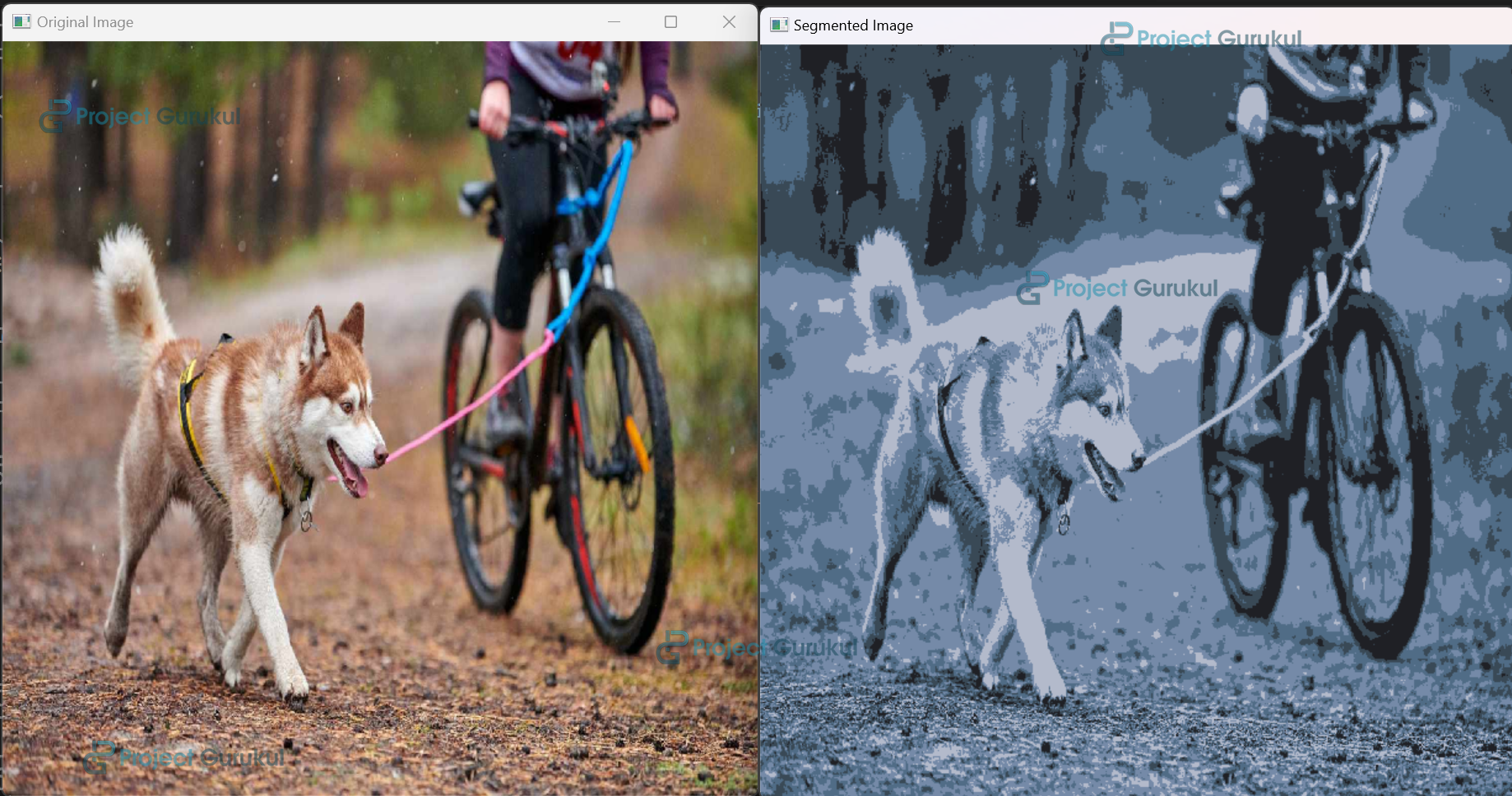
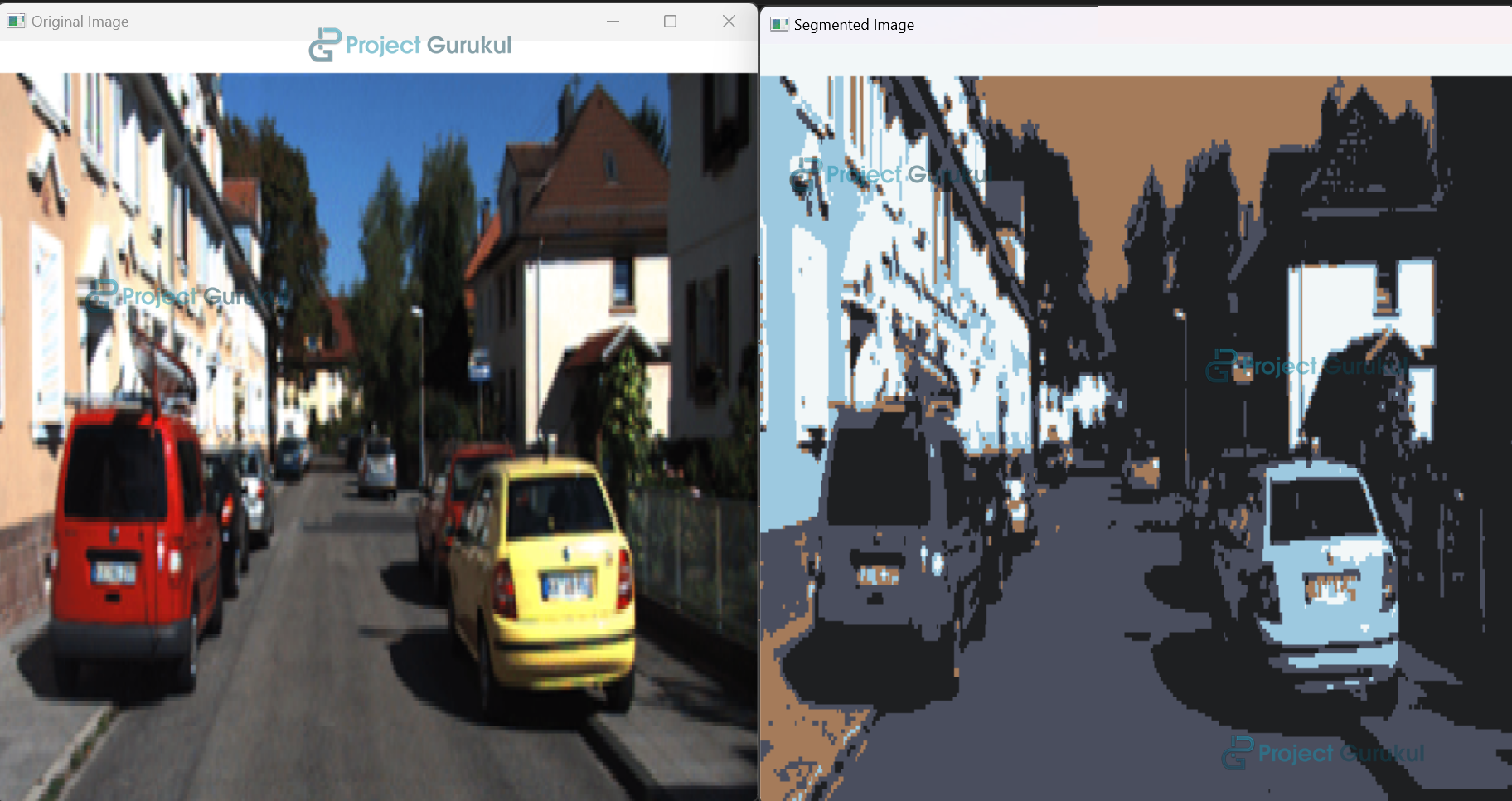
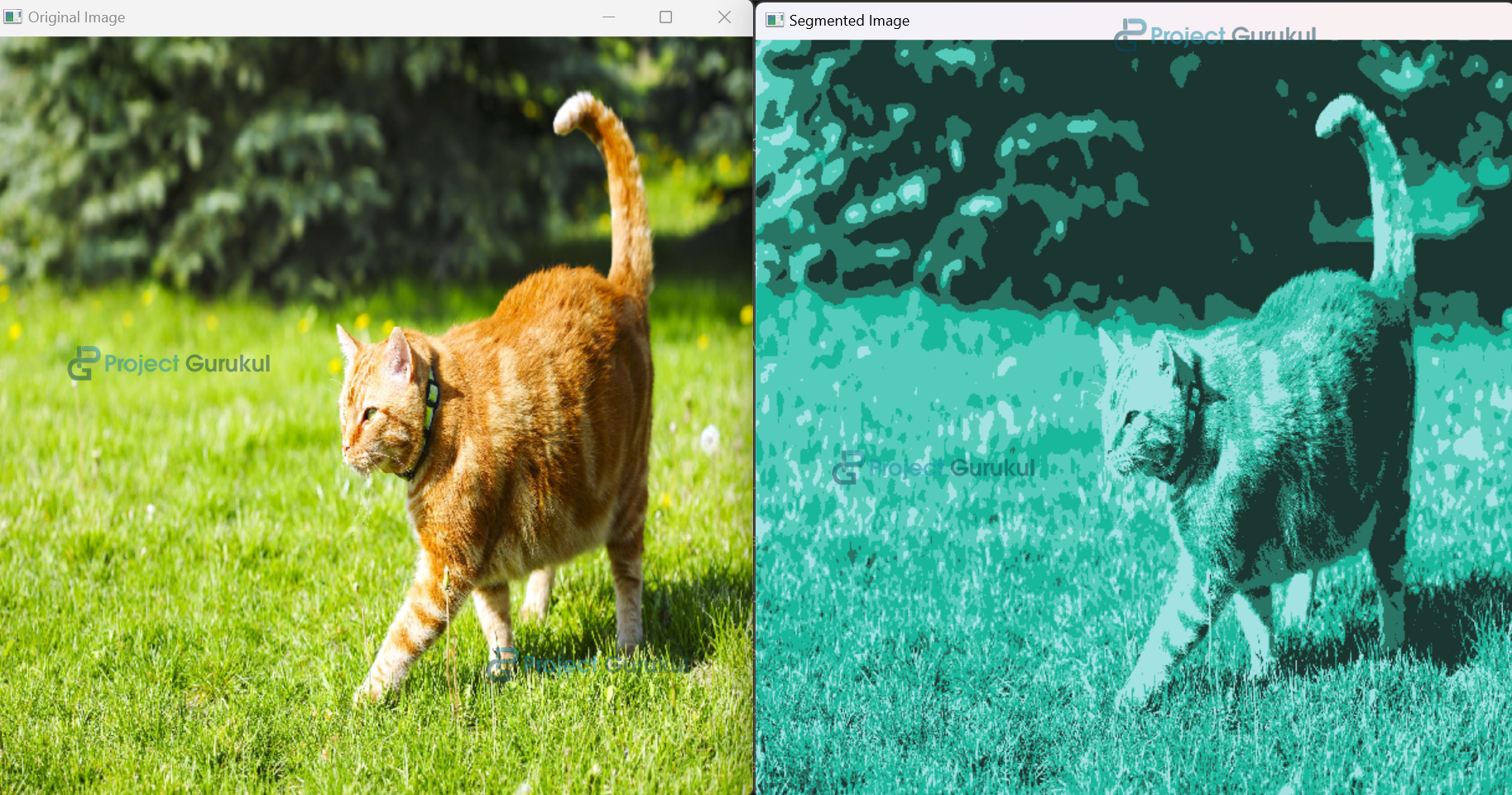
Conclusion
In conclusion, image segmentation using Python OpenCV and K-means clustering offers a powerful approach to partitioning images into distinct regions. This technique enables applications across various domains, from object detection to medical image analysis. It provides a valuable tool for extracting meaningful information from complex visual data, enhancing the capabilities of computer vision systems.