Python Keyboard Jump Game using PyGame
We offer you a brighter future with FREE online courses - Start Now!!
The python keyboard jump game is a fun game that helps in increasing the typing speed of the player. In this game, random words are displayed and the player has to type the word correctly before the word disappears and if the word is misspelled the player loses the game, otherwise the score is incremented.
We will use pygame to develop this game. It is a python module with sound and graphics libraries for developing video games. Let’s check the pre-requisites.
Project Prerequisites
We just need pygame for this project, Command to install:
pip install pygame
Download Keyboard Jump Game Python Program
Please download the source code of python keyboard jump game: Keyboard Jump Game Python Program
Create the Project File
1. jumpgame.py
#importing modules
import time
import random
import pygame

#word list
wordList=['jump','game','python','pygame','play','coding','time','random','words','word','score','player','lost','won','develop','jumpGame','project','code']

#initializing pygame
pygame.init()

#creating game window of size 800x600
window = pygame.display.set_mode((800,600))

#loading background image
bg = pygame.image.load('bg.jpg')
#adjusting image size as per window size
bg = pygame.transform.scale(bg,(800,600))

#setting font style
myFont=pygame.font.SysFont('Segoe UI',35)

#global variables
speed = 0.6
score=0
gamenotover=True
gamestarted=False

#-------------------------to get a random word---------------------------
def generateWord():
    global currWord, playerWord,x,y,speed

    # choosing a random x coordinate for current word
    x=random.randint(150,550)
    # y coordinate
    y=150

    #increasing speed to increase the difficulty of game with time
    speed = speed + 0.05
    #initializing player's word
    playerWord= ''

    #choosing a random word from word list
    currWord = random.choice(wordList)

#calling generateWord function
generateWord()

#-----------------------to place text on pygame window--------------------------------
def putText(x,y,text,sz):
    #setting font size
    myFont=pygame.font.SysFont('Segoe UI',sz)

    #rendering the text
    mytext = myFont.render(text,True,(0,0,0))

    #blitting the text on window
    window.blit(mytext,(x,y))

#----------------------to display initial and final screen--------------------------------
def displayScreen():
    #blitting background image on window
    window.blit(bg,(0,0))

    #if game is over
    if gamenotover is False:
        #display game over on the window, here 100 is size of the text
        putText(200,200,"Game Over!!!",100)
        #displaying final score
        putText(200,300,"Score: "+str(score),50)

    #if game is not over
    else:
        putText(200,200,"Press a Key to start playing!",50)

    #for better effects we will flip the window
    pygame.display.flip()

    #remains true until a key is pressed
    wait=True
    while wait:
        #checking all events sequentially
        for e in pygame.event.get():
            #if user wants to quit window
            if e.type == pygame.QUIT:
                #quitting pygame
                pygame.quit()

            #if any other key is pressed
            if e.type== pygame.KEYDOWN:
                # so as to begin the game setting wait = False
                wait = False

#infinite loop until game is over
while True:
    if gamenotover:
        if not gamestarted:
            #initializing the game window
            displayScreen()

        #setting gamestarted to True
        gamestarted=True
    gamenotover=False

    #loading playing character
    character = pygame.image.load('character.png')
    #transforming it to size 50x50
    character = pygame.transform.scale(character,(50,50))

    #setting bg image
    window.blit(bg,(0,0))

    y+=speed
    #displaying character
    window.blit(character,(x-100,y))

    #displaying current Word
    putText(x,y,str(currWord),35)

    #displaying score
    putText(300,5,'Score: '+str(score),35)

    #events------
    for e in pygame.event.get():
         #if user wants to quit window
        if e.type == pygame.QUIT:
            #quitting pygame
            pygame.quit()
            quit()

        # if user pressed another button
        elif e.type == pygame.KEYDOWN:
            #adding pressed letter in playerWord
            print(pygame.key.name(e.key))
            playerWord+= pygame.key.name(e.key)

            #if the playerWord is correct till now
            if currWord.startswith(playerWord):
                #if both the words are matching
                if currWord == playerWord:
                    #increase score
                    score += 10
                    #generate new word
                    generateWord()

            #if user mis-spelled the word
            else:
                displayScreen()
                time.sleep(2)
                pygame.quit()

    #if the word has not reached bottom continue updating the window
    if y< 590:
        pygame.display.update()
    #word reached end therefore end the game
    else:
        displayScreen()
Explanation:
- GenerateWord: In this function, we are choosing a random word from wordList using the random module. And after that, we are storing it in currWord and reinitializing playerWord.
- PutText: In this function, we are simply blitting the word on the pygame window.
- displayScreen: In this function, we are displaying the initial screen (when the game is not started) and then it waits until the player presses the enter key to start the game. It is also responsible for displaying the final score and game over message.
Python Keyboard Jump Game Output
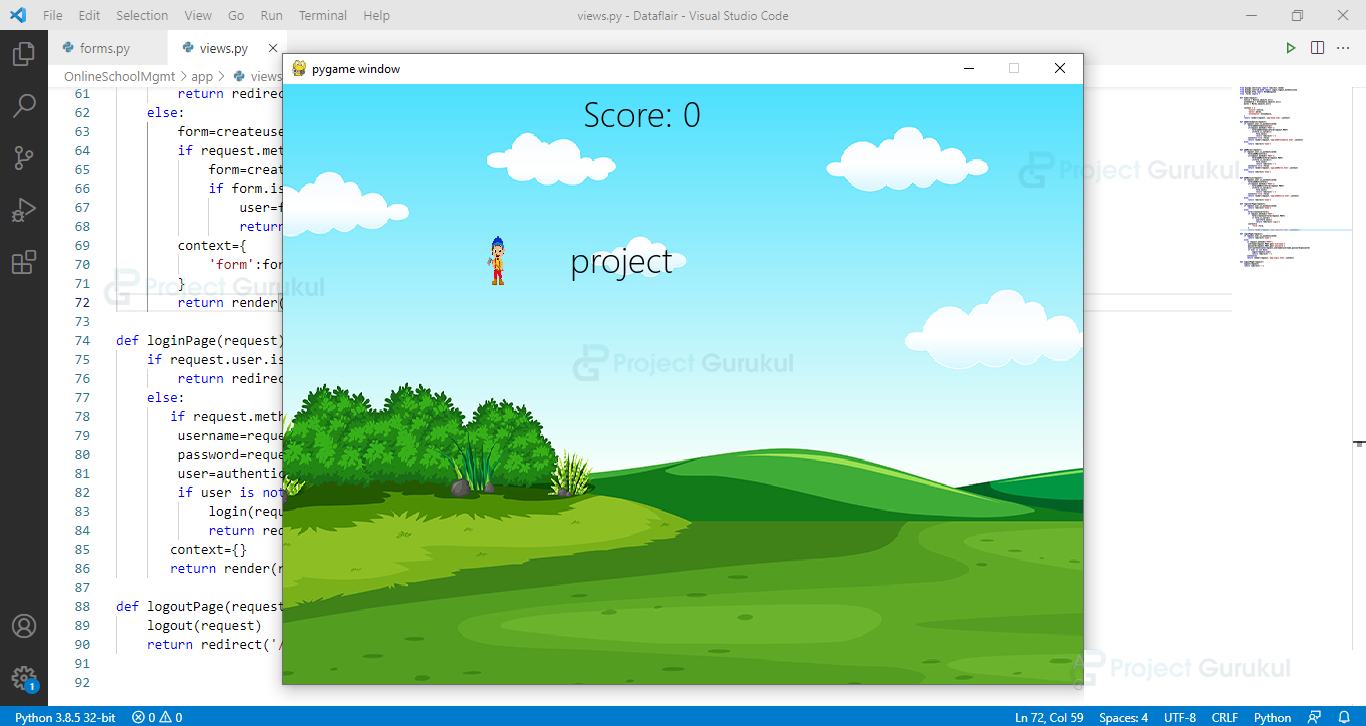
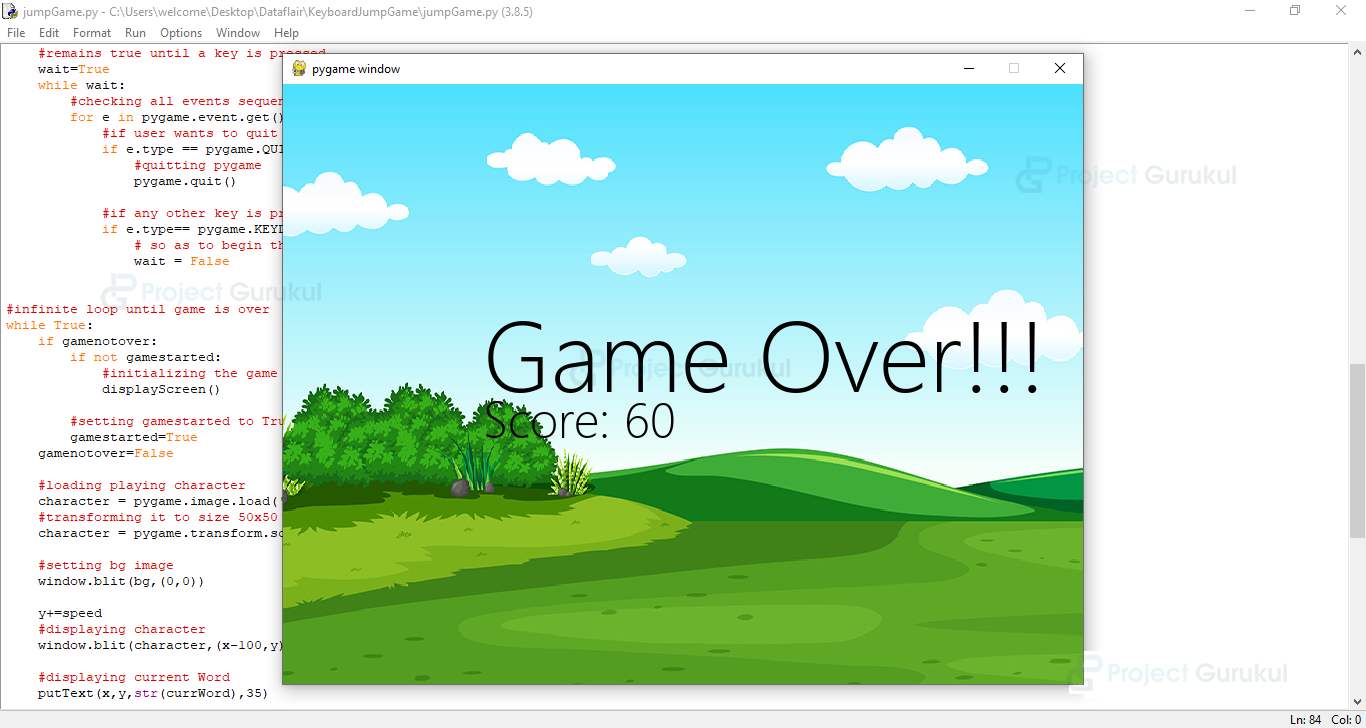
Summary
We have successfully Python Keyboard Jump Game using Pygame. You can change the background image, fonts, character, speed, or any other values to make it more interesting.
Happy Coding !!!
I need help on this project which seems that python is complaining any time I try to log the console it gives this error
:\Users\Library\Desktop\python jumping game from manzur bah>C:/Users/Library/AppData/Local/Programs/Python/Python312/python.exe “c:/Users/Library/Desktop/python jumping game from manzur bah/python keyboard_jumping_game_manzurbah.py”
pygame 2.5.2 (SDL 2.28.3, Python 3.12.1)
Hello from the pygame community. https://www.pygame.org/contribute.html
Traceback (most recent call last):
File “c:\Users\Library\Desktop\python jumping game from manzur bah\python keyboard_jumping_game_manzurbah.py”, line 52, in
y+=speed
^
NameError: name ‘y’ is not defined that the y is not defined.
how to restart this game. give the source code for this
Hello
Ram ram ji