Python Django Project – Job Portal System
FREE Online Courses: Your Passport to Excellence - Start Now
The Job Portal is a web-based application built using Django that is designed to connect job seekers with employers. It provides functionalities for job listings, application submissions, and user profiles. The system aims to streamline companies’ hiring processes and enhance candidates’ job search efficiency.
About Python Django Job Portal Project
The Job Portal simplifies the job application by allowing users to search for job listings, view detailed information about each job, and submit applications. This application also provides employers with tools to manage job listings and view application information.
Objectives of Python Django Job Portal
- Develop a User-Friendly Interface.
- Implement Job Listing Functionality.
- Provide User Authentication.
- Enable Resume Uploading and Downloading.
Project Setup for Python Django Job Portal
Required Libraries
- Django: For web framework and ORM.
- SQLite: For database management.
- Bootstrap: For responsive design and styling.
Technology Stack
- Python
- Django
- SQLite (default database)
- HTML/CSS
- Bootstrap
Project Prerequisites
- Basic understanding of Python programming.
- Familiarity with the Django framework.
- Knowledge of HTML/CSS for template design.
Download Python Django Job Portal Project
Please download the source code for the Python Django Job Portal Project: Python Django Job Portal Project Project Code.
Step-by-Step Implementation for Python Django Job Portal Project
1. Project Initialisation
- The first command initialises a new Django project named job_portal.
- The second command changes the directory to the project folder.
- The third command initialises a new Django app named jobs in the same directory and sets up the project’s basic structure.
django-admin startproject job_portal
cd job_portal
python manage.py startapp jobs
2. Setting Up Models
- The Job Model represents job listings with fields for title, description, company, and location.
- The Application model links to the Job model with a foreign key, and includes fields for the applicant’s name, email, and resume.
- It returns a string indicating the applicant and job for easy identification.
from django.db import models
from django.contrib.auth.models import User


class Job(models.Model):
   title = models.CharField(max_length=200, default="Untitled Job")
   description = models.TextField(default="No description provided.")
   requirements = models.TextField(default="No requirements specified.")
   posted_by = models.ForeignKey(User, on_delete=models.CASCADE)
   posted_date = models.DateTimeField(auto_now_add=True)


   def __str__(self):
       return self.title


class Application(models.Model):
   job = models.ForeignKey(Job, on_delete=models.CASCADE)
   applicant = models.ForeignKey(User, on_delete=models.SET_NULL, null=True)
   resume = models.FileField(upload_to='resumes/', blank=True, null=True)
   applied_at = models.DateTimeField(auto_now_add=True)


   def __str__(self):
       applicant_name = self.applicant.username if self.applicant else 'Unknown Applicant'
       job_title = self.job.title if self.job else 'Unknown Job'
       return f"{applicant_name} applied for {job_title}"
3. Making Migrations
- makemigrations: Makes migrations based on the changes detected in the models. Migrations are how Django stores changes to the models.
- migrate: This command applies the migrations to the database, creating the tables and columns.
python3 manage.py makemigrations jobs
python3 manage.py migrate
4. Defining Views
- job_list View: It retrieves all jobs from the database and renders them in job_list.html.
- job_detail View: It fetches details of a specific job using its ID and renders them in job_detail.html.
- apply_job View: This handles POST requests to create an application for a particular job. It validates required fields.
- application_success View: It displays a confirmation message after a successful application.
from django.shortcuts import render, get_object_or_404, redirect
from .models import Job, Application
from .forms import ApplicationForm


def job_list(request):
   jobs = Job.objects.all()
   return render(request, 'jobs/job_list.html', {'jobs': jobs})


def job_detail(request, job_id):
   job = get_object_or_404(Job, id=job_id)
   return render(request, 'jobs/job_detail.html', {'job': job})


def apply_job(request, job_id):
   job = get_object_or_404(Job, id=job_id)
   if request.method == 'POST':
       form = ApplicationForm(request.POST, request.FILES)
       if form.is_valid():
           application = form.save(commit=False)
           application.job = job
           application.applicant_name = request.user.username
           application.email = request.user.email
           application.save()
           return redirect('job_list')
   else:
       form = ApplicationForm()
   return render(request, 'jobs/apply_job.html', {'form': form})


def application_list(request):
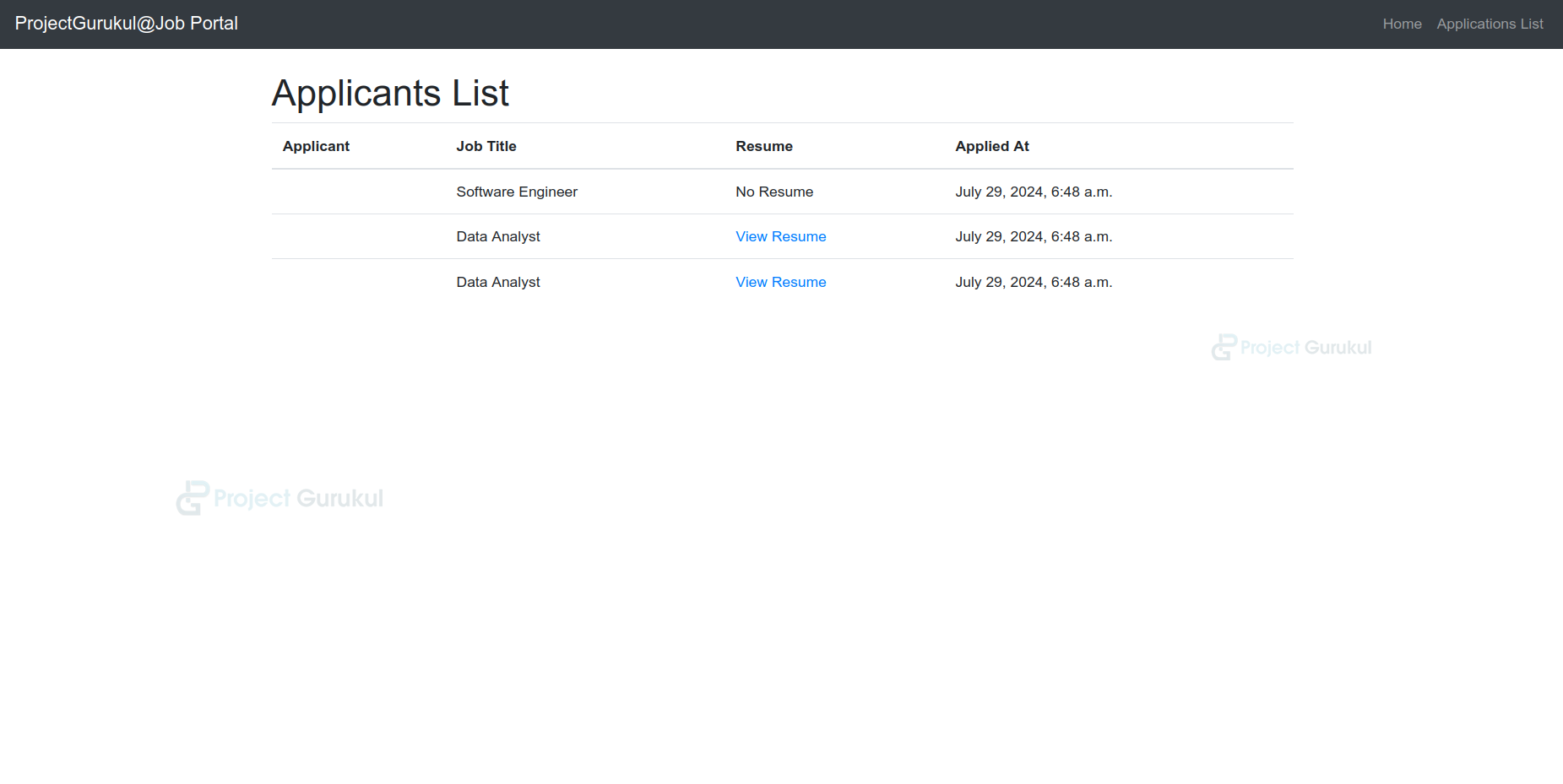
   applications = Application.objects.all().select_related('job', 'applicant')
   return render(request, 'jobs/application_list.html', {'applications': applications})
5. Setting URLs
- The job_list URL maps the root URL (”) to the job_list view and displays the list of all jobs.
- The job_detail URL maps URLs to display details for a specific job based on job_id.
- The apply_job URL maps URLs of the form apply/<int:job_id>/ that handle applications for a specific job based on job_id.
from django.urls import path
from .views import application_list, job_list, job_detail, apply_job


urlpatterns = [
   path('', job_list, name='job_list'),
   path('job/<int:job_id>/', job_detail, name='job_detail'),
   path('job/<int:job_id>/apply/', apply_job, name='apply_job'),
   path('applications/', application_list, name='application_list'),
]
6. Creating Templates
base.html:-
- The head section sets the page title with {% block title %} and custom CSS for styling.
- The Nav bar features a brand link to the job list and a collapsible menu for mobile devices.
- Main Content Area uses {% block content %} to dynamically insert page-specific content.
- The Footer displays a centered copyright notice at the bottom of the page.
<!DOCTYPE html>
<html lang="en">
<head>
   <meta charset="UTF-8">
   <meta name="viewport" content="width=device-width, initial-scale=1.0">
   <title>{% block title %}Job Portal{% endblock %}</title>
   <link href="https://maxcdn.bootstrapcdn.com/bootstrap/4.5.2/css/bootstrap.min.css" rel="stylesheet">
   {% block extra_head %}{% endblock %}
</head>
<body>
   <nav class="navbar navbar-expand-lg navbar-dark bg-dark">
       <a class="navbar-brand" href="{% url 'job_list' %}">ProjectGurukul@Job Portal</a>
       <div class="collapse navbar-collapse">
           <ul class="navbar-nav ml-auto">
               <li class="nav-item">
                   <a class="nav-link" href="{% url 'job_list' %}">Home</a>
               </li>
               <li class="nav-item">
                   <a class="nav-link" href="{% url 'application_list' %}">Applications List</a>
               </li>
           </ul>
       </div>
   </nav>
   <div class="container mt-4">
       {% block content %}{% endblock %}
   </div>
   <script src="https://code.jquery.com/jquery-3.5.1.slim.min.js"></script>
   <script src="https://cdn.jsdelivr.net/npm/@popperjs/[email protected]/dist/umd/popper.min.js"></script>
   <script src="https://maxcdn.bootstrapcdn.com/bootstrap/4.5.2/js/bootstrap.min.js"></script>
</body>
</html>
job_list.html:-
- This template sets the title to the Job List within the {% block title %} section.
- It displays the main heading Available Jobs at the top of the page.
- It iterates through the jobs queryset to create a card for each job, showing the title, company, and location.
- It provides a View Details button linking to the job detail page.
{% extends 'jobs/base.html' %}


{% block title %}Job List{% endblock %}


{% block content %}
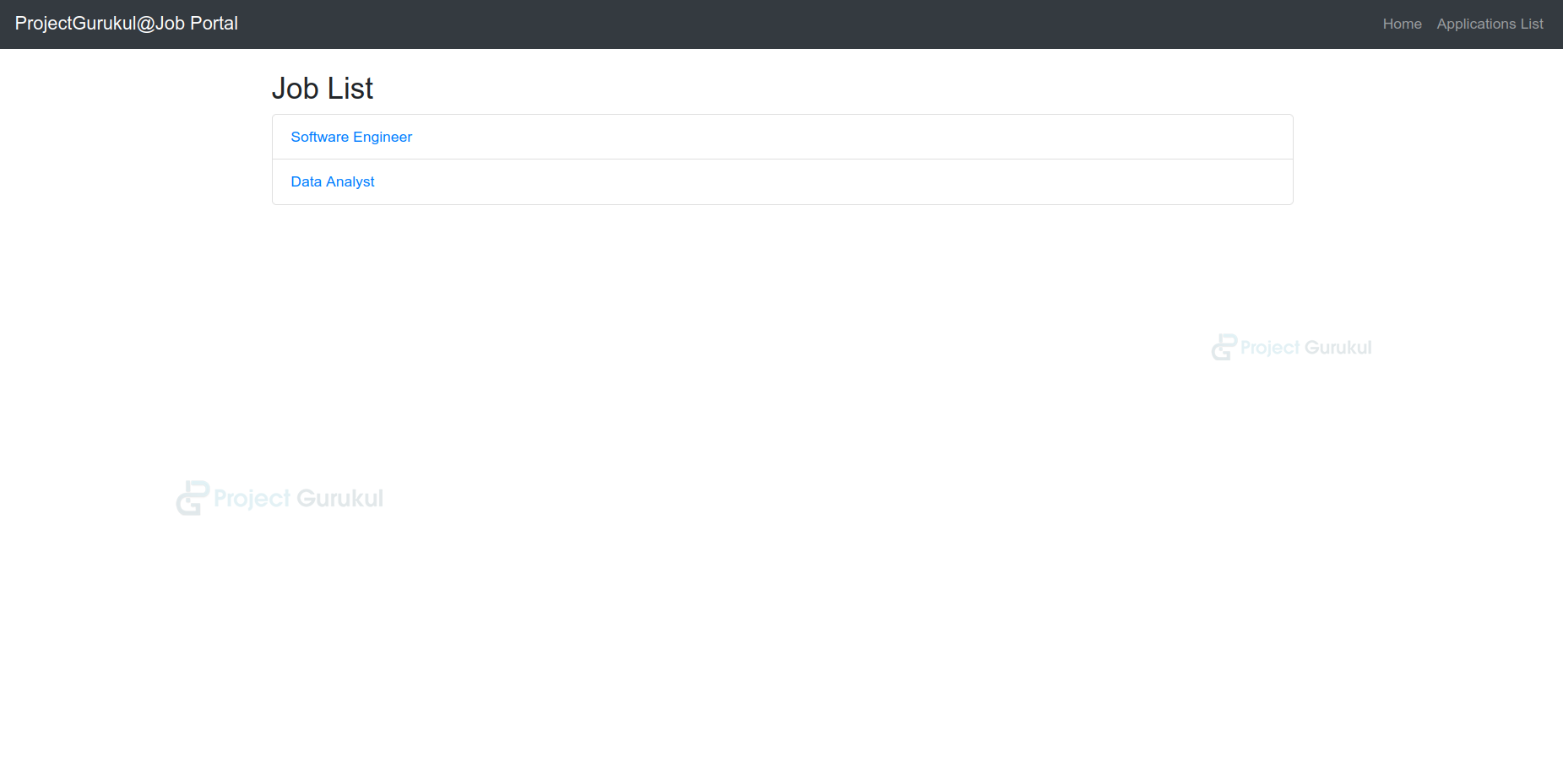
<h2>Job List</h2>
<ul class="list-group">
   {% for job in jobs %}
       <li class="list-group-item">
           <a href="{% url 'job_detail' job.id %}">{{ job.title }}</a>
       </li>
   {% endfor %}
</ul>
{% endblock %}
job_detail.html:-
- This template sets the title to the job using {% block title %}.
- It displays the job’s title, company, description, and location.
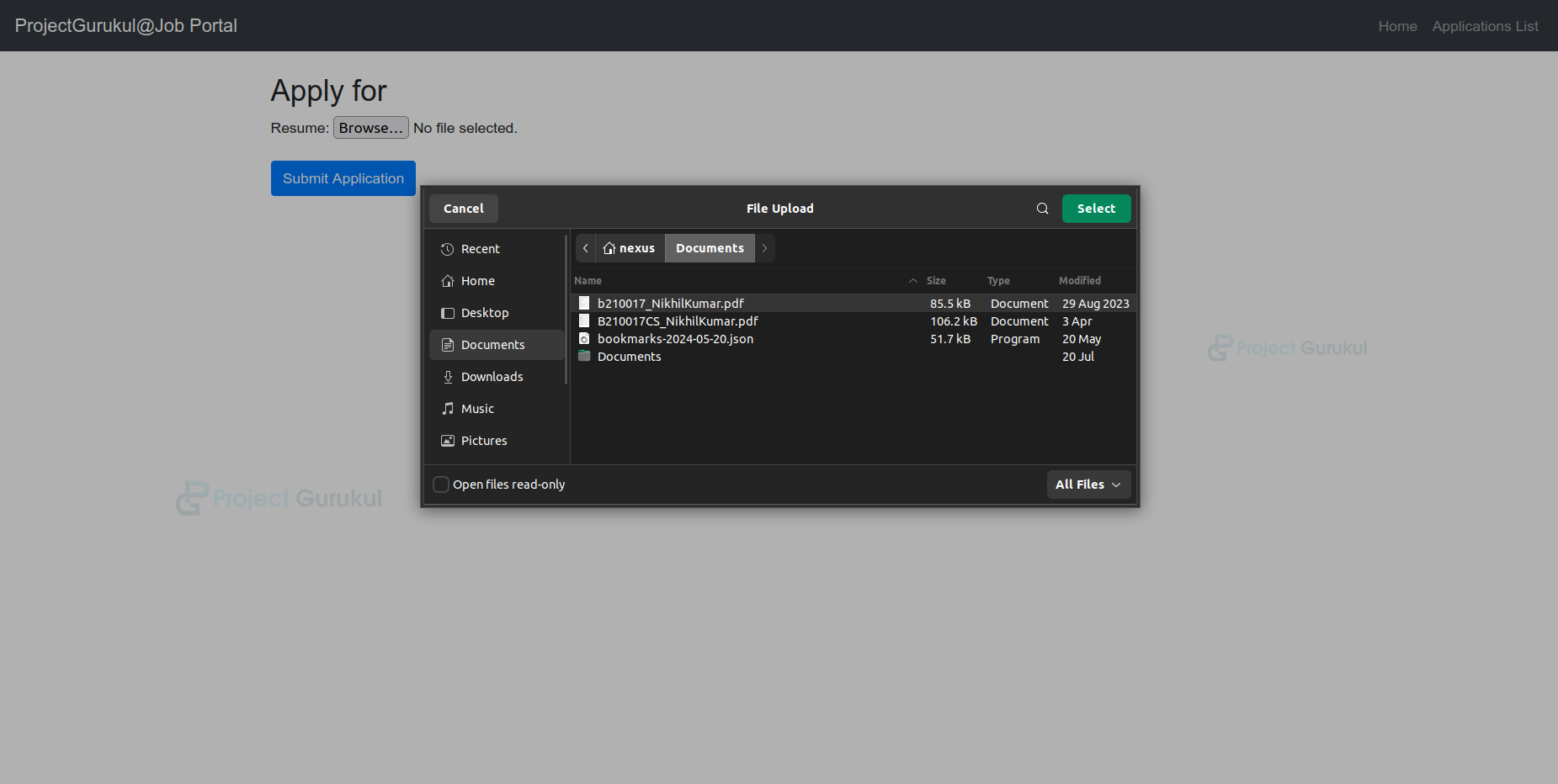
- This contains a form for uploading a resume and an Apply for this Job button.
- It also provides a Back to Job List button to return to the list of jobs..
{% extends 'jobs/base.html' %}


{% block title %}{{ job.title }}{% endblock %}


{% block content %}
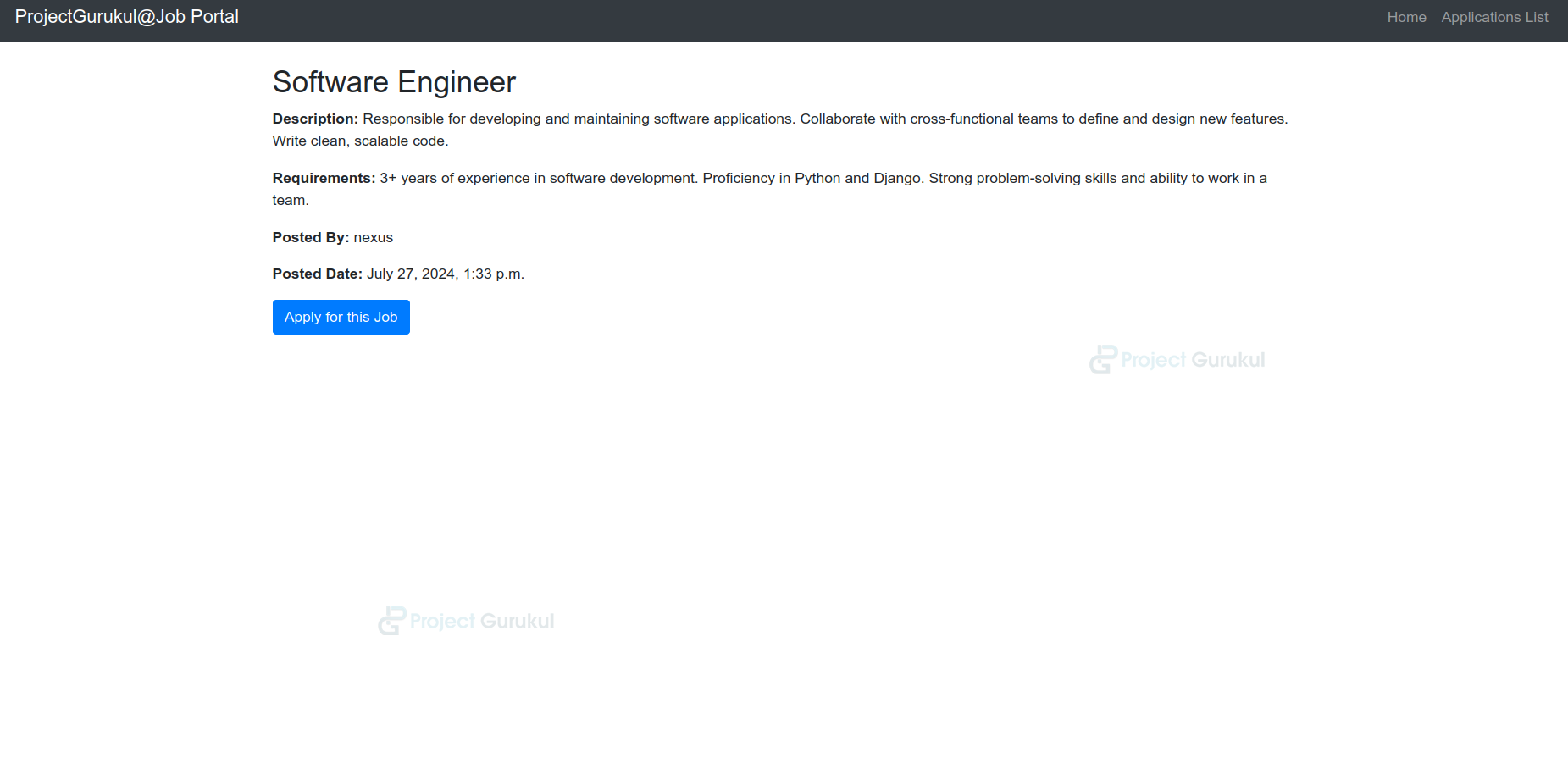
<h2>{{ job.title }}</h2>
<p><strong>Description:</strong> {{ job.description }}</p>
<p><strong>Requirements:</strong> {{ job.requirements }}</p>
<p><strong>Posted By:</strong> {{ job.posted_by.username }}</p>
<p><strong>Posted Date:</strong> {{ job.posted_date }}</p>
<a href="{% url 'apply_job' job.id %}" class="btn btn-primary">Apply for this Job</a>
{% endblock %}
application_success.html:-
- It sets the page title to Application Success, a confirmation message thanking the user for their application.
- It includes a button that directs users back to the list of jobs.
<!DOCTYPE html>
<html>
<head>
   <title>Application Submitted</title>
</head>
<body>
   <h1>Your application has been submitted successfully!</h1>
</body>
</html>
Python Django Job Portal Output
1. Application Interface
2. Job Description Page
3. Add Resume Page
4. Applicants Page
5. View Resume Page
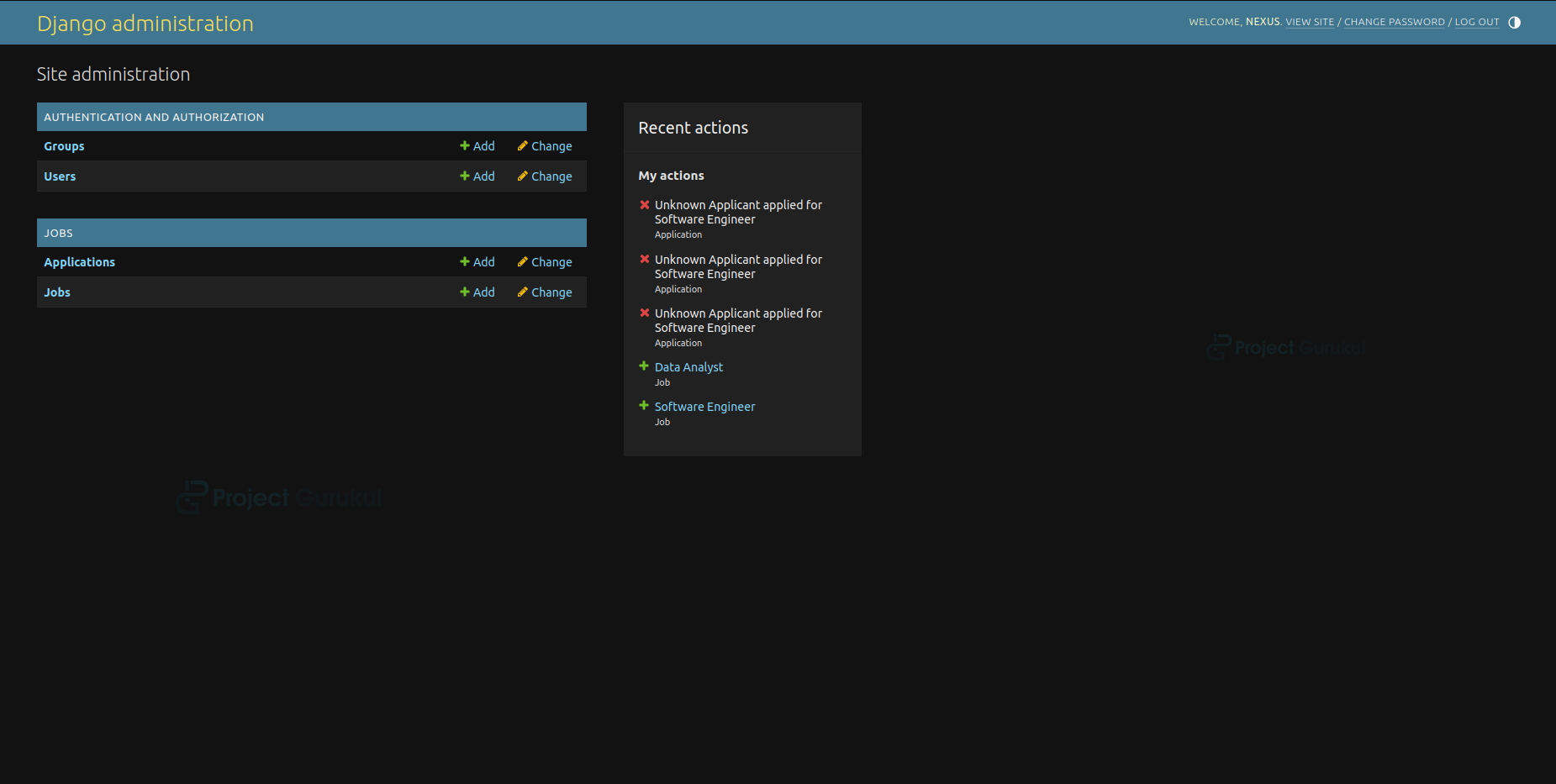
6. Administrative Interface
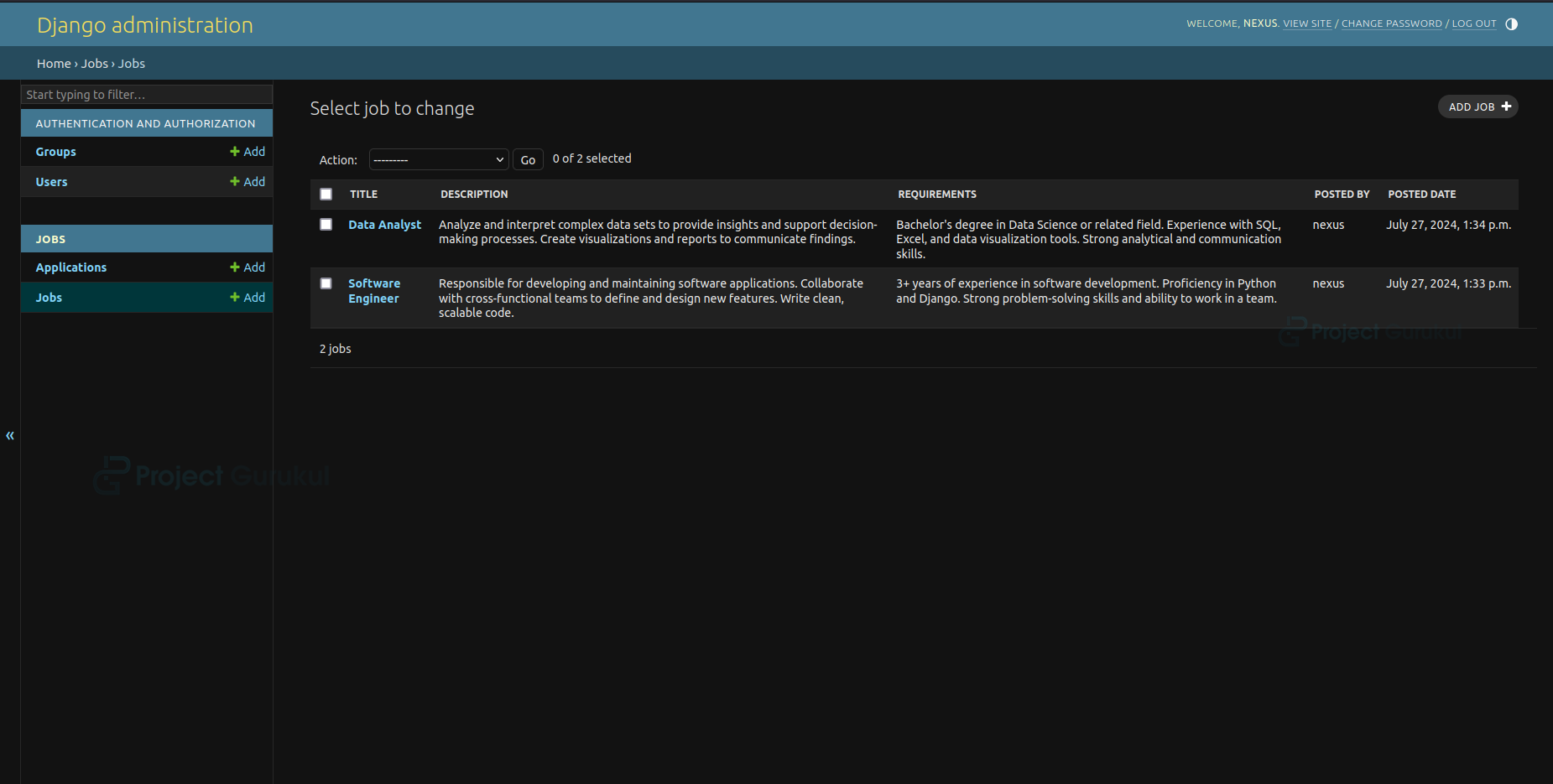
7. Jobs Page
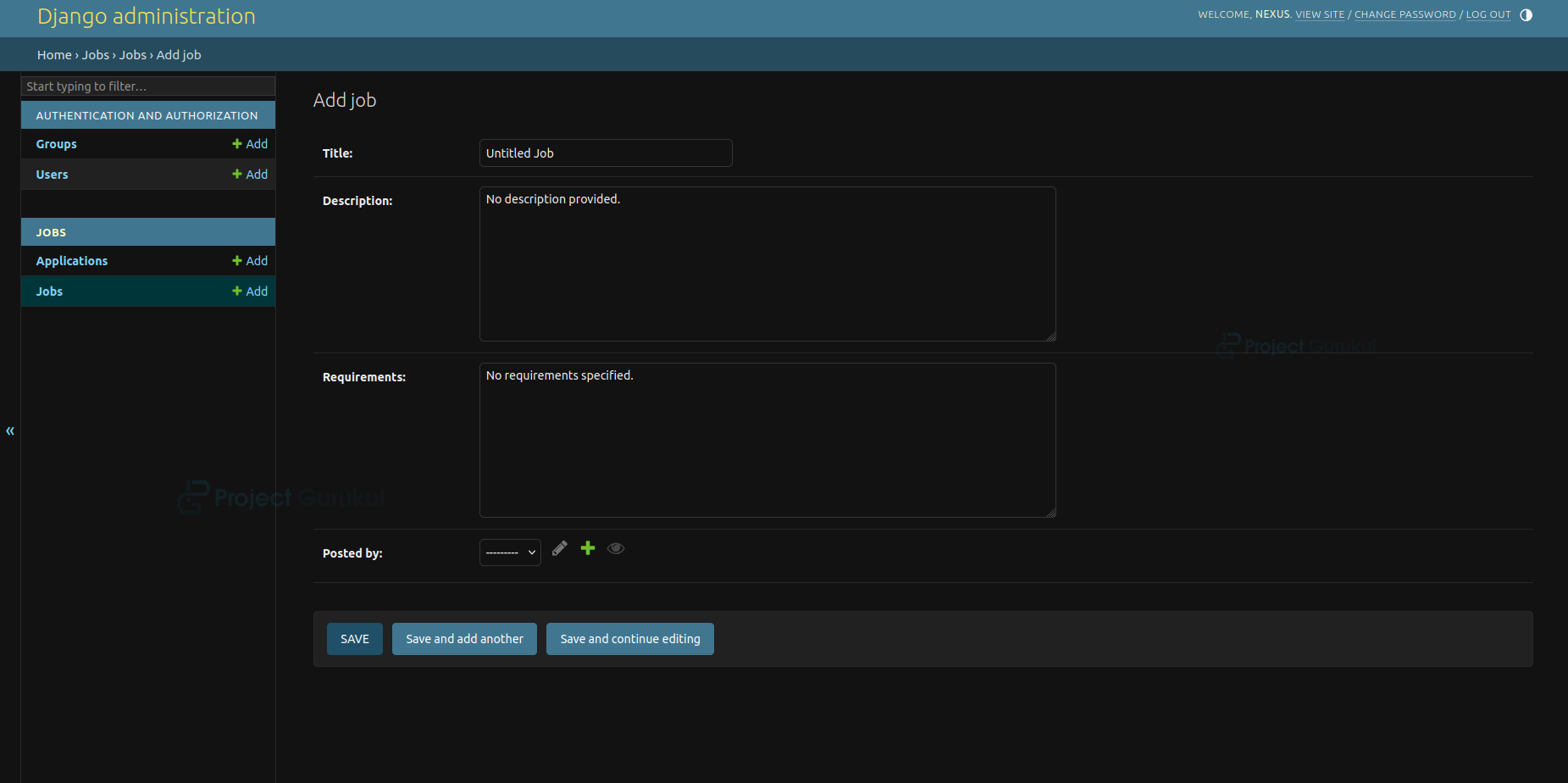
8. Add Job Page
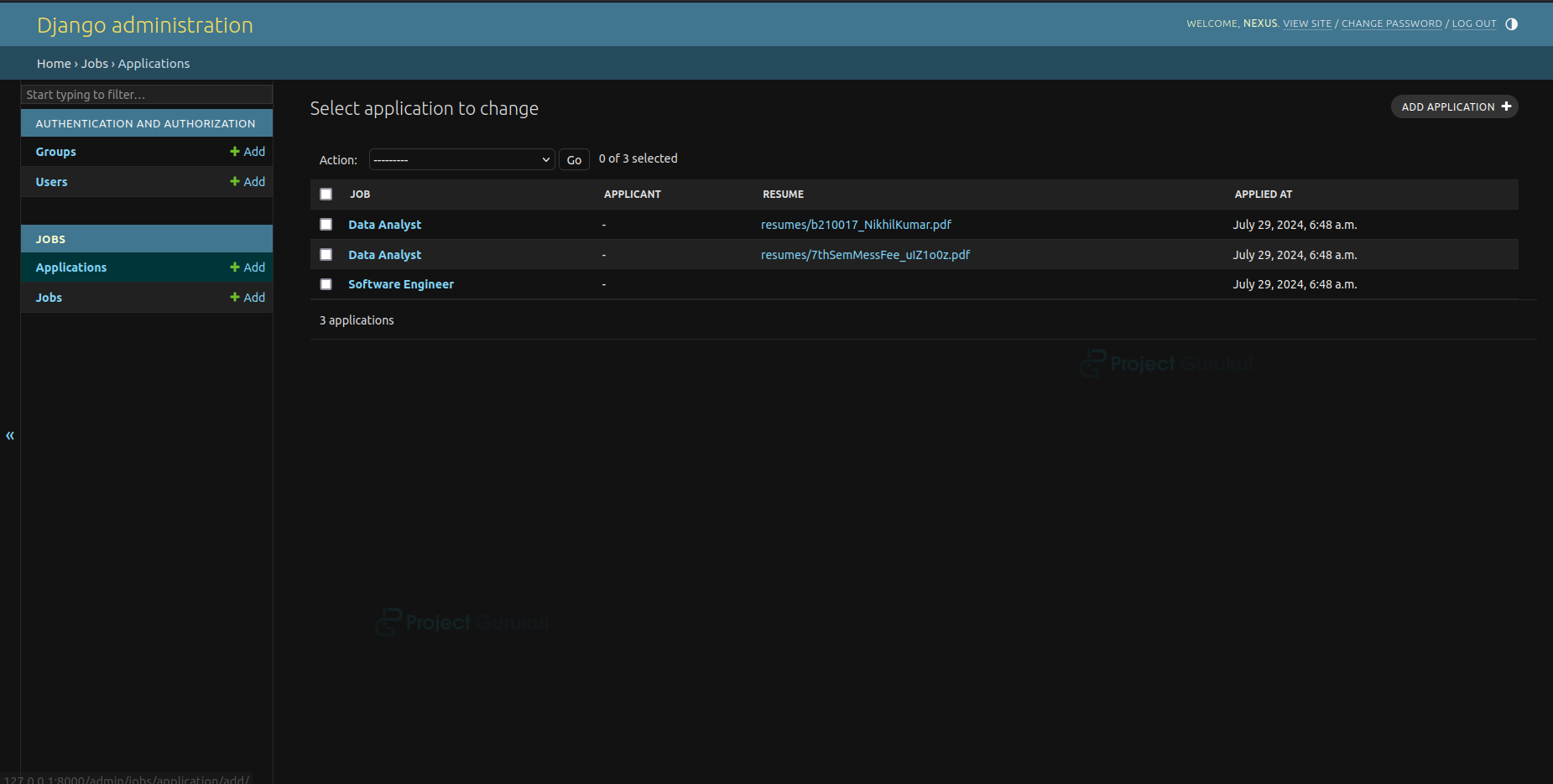
9. Applications Page
Conclusion
The Job Portal provides an efficient solution for managing job listings and applications. It offers a seamless experience for users to search, view details, and apply for jobs while enabling administrators to manage them. Using Django and Bootstrap, the system ensures a responsive and user-friendly design.
Can i have the source code?